
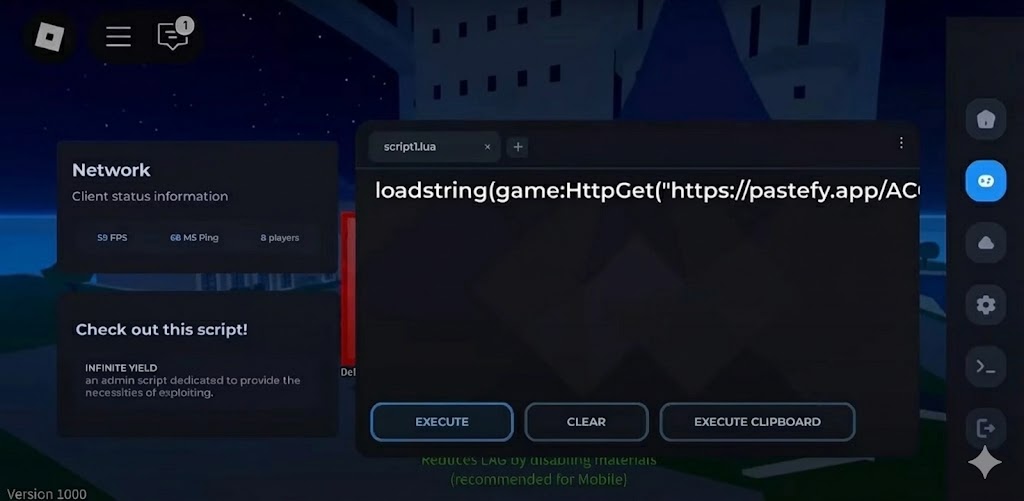
We continuously update our site to provide only the best and fully functional executors, allowing you to run Roblox scripts safely in your Roblox games. On this page, we introduce the latest version of Delta, one of the most reliable injectors available, built specifically for the mobile version of Roblox.
Delta Mobile Executor
Delta Executor is a powerful and easy-to-use tool that supports a wide range of mobile scripts, helping you enhance and customize your gameplay. It includes a key system, but the process is simple and quick to complete. This Roblox executor is well worth your attention, as the developers actively maintain and update it to ensure stability, performance, and compatibility with the latest Roblox updates, giving users access to one of the best mobile executors available.
Download Delta Mobile Executor – Working Roblox Injector (iOS, Android)
Delta Mobile Executor Features
- Supports Android and iOS versions of Roblox
- Ability to execute a wide range of mobile Roblox scripts
- Built-in script executor with fast injection
- Key system for access (easy and quick to complete)
- User-friendly and clean mobile interface
- Regular updates to stay compatible with Roblox patches
- Lightweight design for smooth performance on most devices
- Stable execution with reduced crash issues
How to Use Delta Mobile Executor
- Download the latest version of Delta Mobile Executor from the official source provided on our site.
- Install the executor on your mobile device (allow app permissions if required).
- Open Roblox and launch the game you want to use scripts in.
- Start Delta Executor and attach it to the Roblox game.
- Copy and paste your desired script into the executor’s script box.
- Complete the key system if prompted.
- Click Execute to run the script and enjoy enhanced gameplay features.
Roblox Games & Usefulness (Delta Mobile Executor)
| Roblox Game Name | Script Usefulness with Delta Executor |
|---|---|
| Blox Fruits | Auto farm, fast leveling, teleport, skill automation |
| Brookhaven RP | Speed control, character customization, fun utility scripts |
| Pet Simulator X / 99 | Auto collect, auto hatch, farming scripts |
| King Legacy | Auto quests, boss farming, teleport features |
| Arsenal | Aim assistance, ESP, player visuals |
| Adopt Me | Movement utilities, farming helpers |
| Tower of Hell | Jump boost, gravity control, stage skip tools |
| Murder Mystery 2 | ESP, role detection, movement enhancements |
| Anime Adventures | Auto farm, unit placement automation |
| Blade Ball | Auto parry, movement assistance |
| Doors | Entity alerts, item ESP, movement tools |
| Shindo Life | Auto leveling, teleport, quest automation |
Frequently Asked Questions
- Is Delta Mobile Executor safe to use?
Delta is widely used, but no executor is completely safe. Always use a secondary Roblox account and trusted scripts only. - Does Delta Executor work on Android and iOS?
Yes, Delta Mobile Executor supports both Android and iOS devices. - Is Delta Mobile Executor free?
Yes, it is free to use, but it includes a simple key system. - Why does Delta require a key system?
The key system helps support development and prevent misuse. It is quick and easy to complete. - Can Delta run all Roblox scripts?
Delta works best with mobile-optimized scripts. Some PC-only scripts may not work correctly.